
A Help Centre for HeyBirdy, and a tour of every page
New
A Help Centre for HeyBirdy
HeyBirdy now has a Help Centre at heybirdy.ai/support, with a guide for every page written for a restaurant or shop's day and a search box that understands the question you would type. New notes like this one appear under Release notes, and Login takes you back to your workspace.
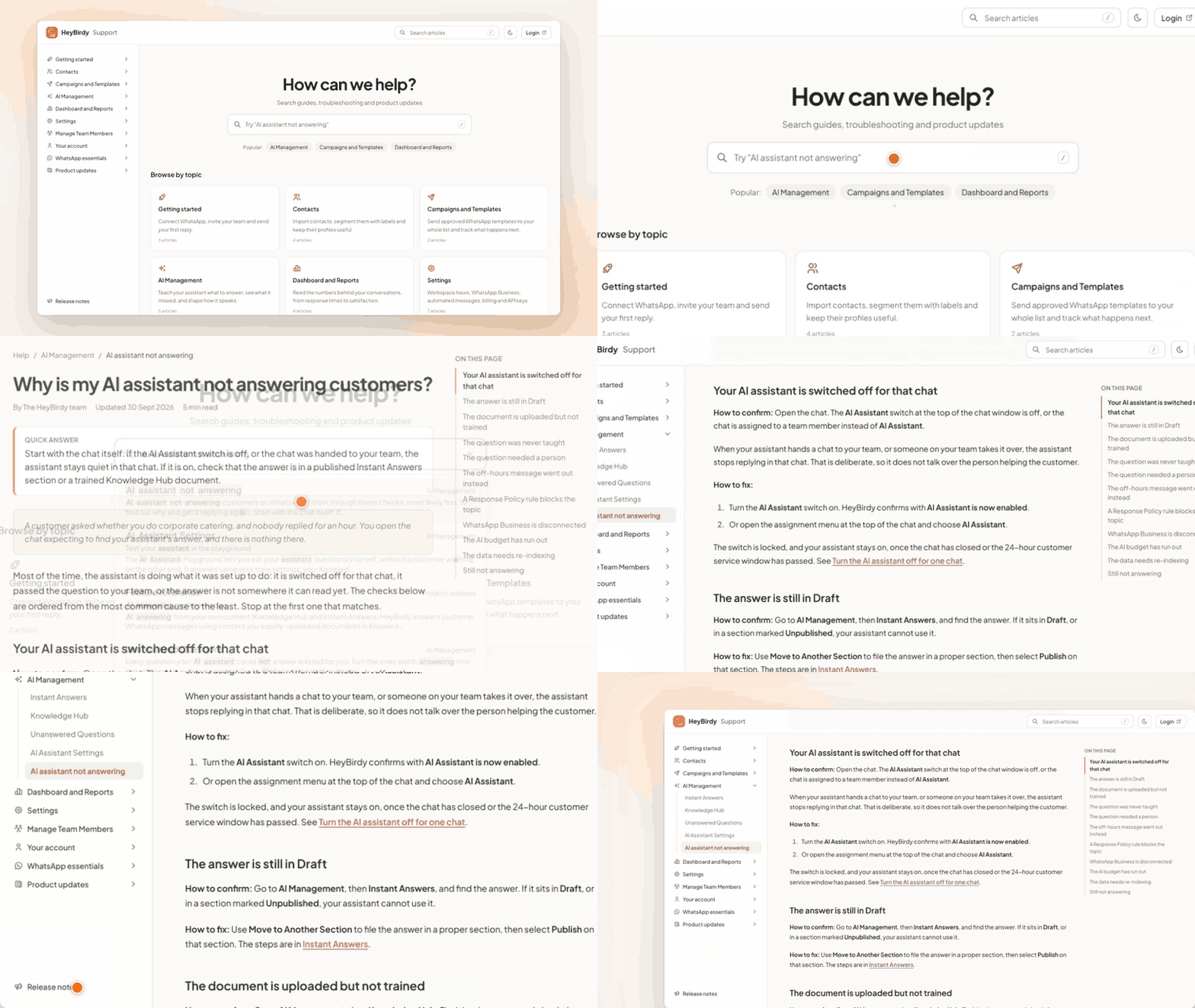
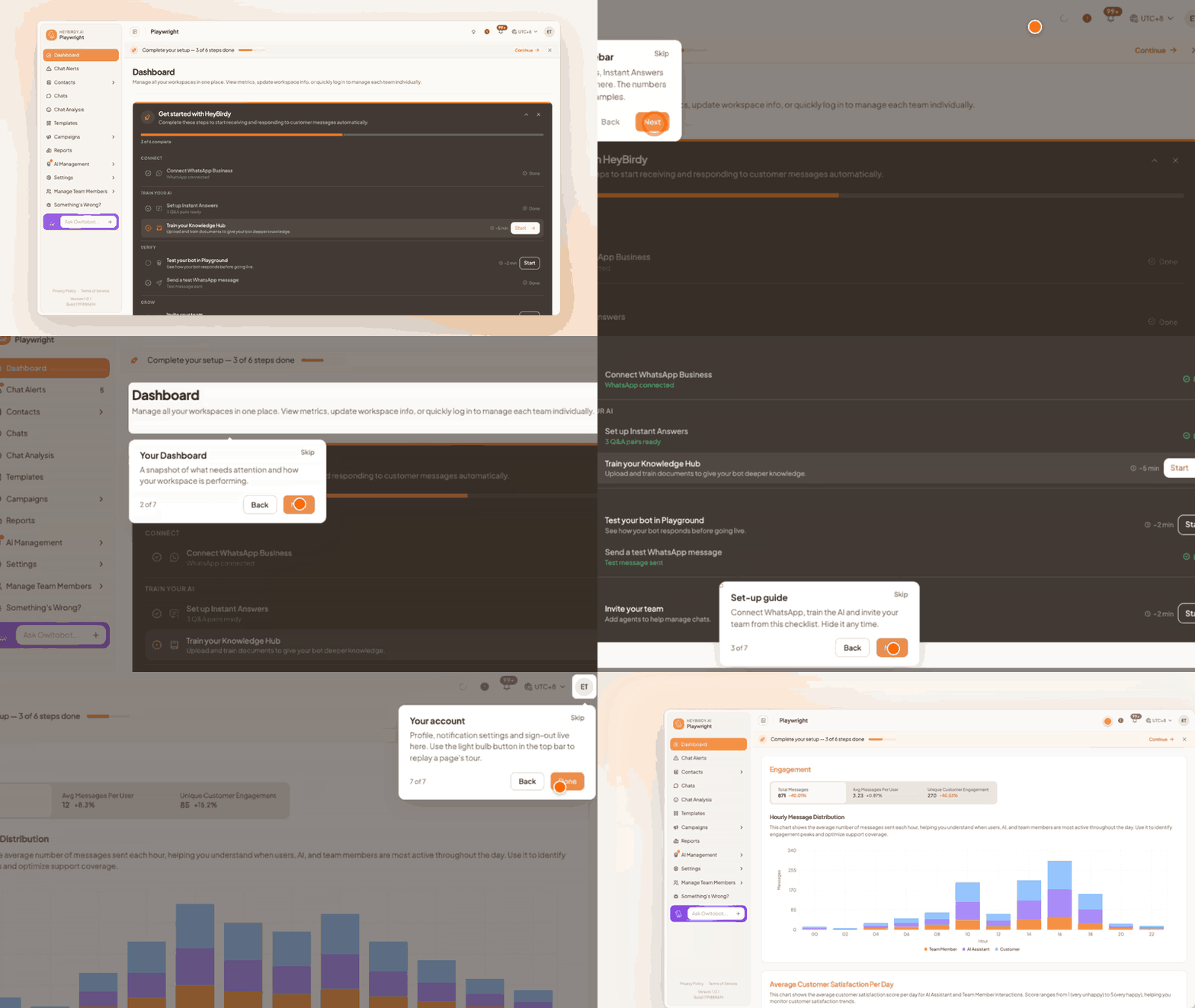
Every page can show you around
The first time you open a core page, a short tour points out what each part does; Next, Back, Skip and Done move you through it, and the light bulb in the top bar (Show me around this page) replays it. See Getting started.
Improvements
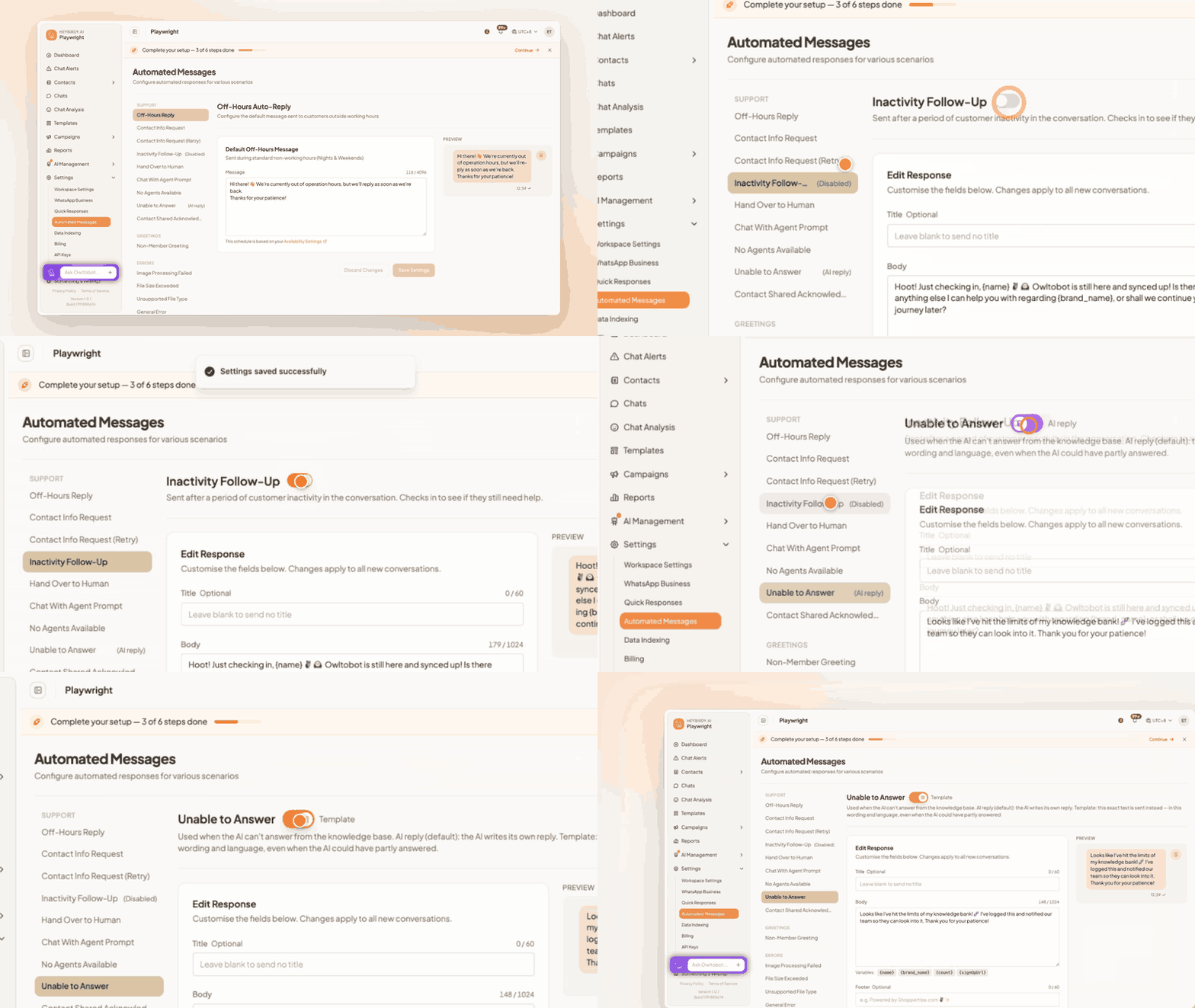
Switch off the holding messages you do not need
In Settings, then Automated Messages, the switch beside Sign-Up Process, Searching / Loading, My Rewards — End of List and Inactivity Follow-Up saves a WhatsApp message while the customer still gets the reply that follows. See Turn automated messages on or off.
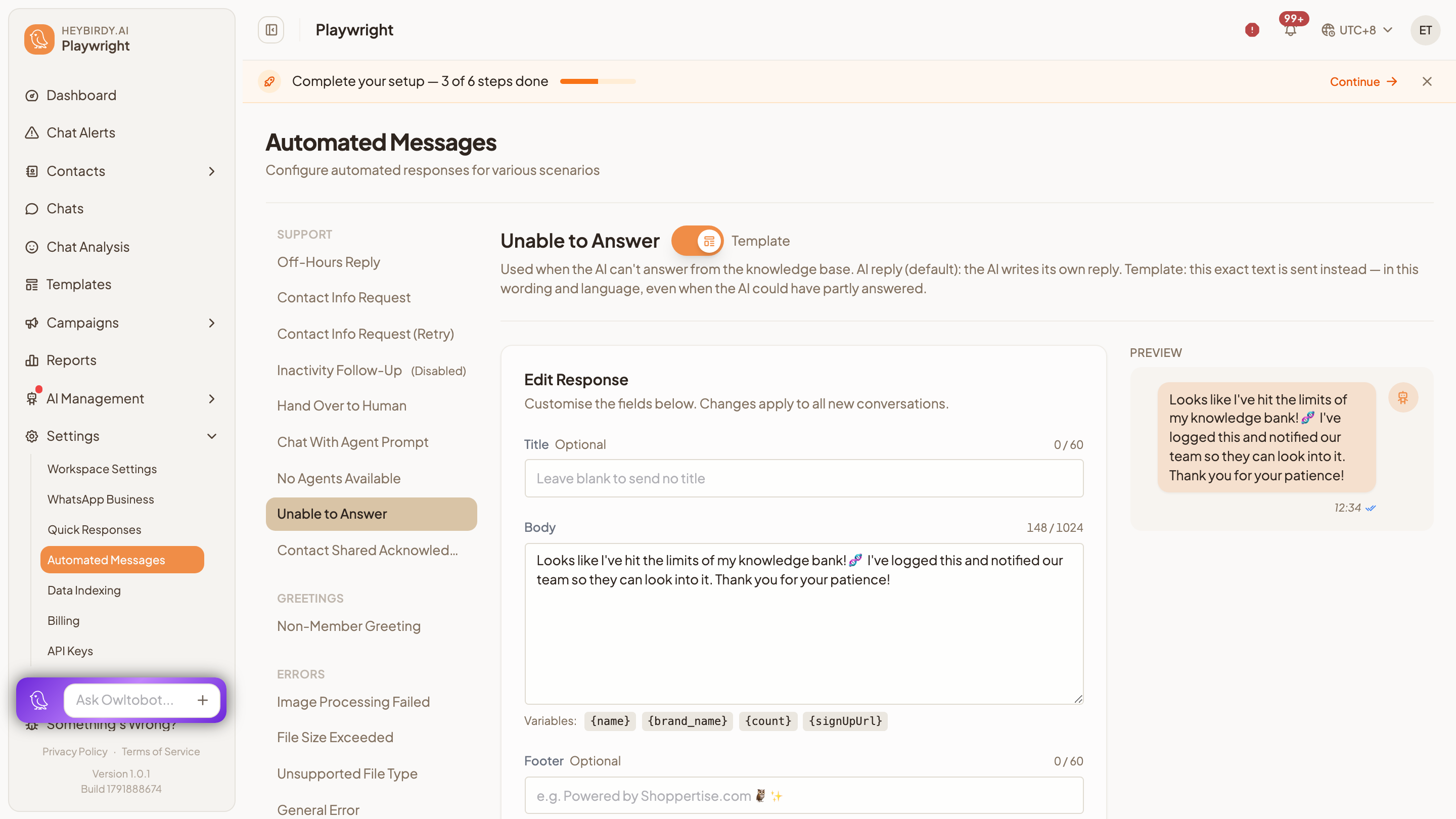
Choose what customers hear when the AI cannot answer
Unable to Answer now switches between AI reply (the assistant's own words) and Template (your text, word for word). See Automated Messages.
Invoices and payment attempts in Billing
The workspace owner sees every invoice under Invoices in Settings, then Billing, with Show payment timeline for each attempt. See Billing.
Cancel, or put a failed payment right, from Billing
Cancel subscription ends the plan at the paid-up date, and Update payment or Subscribe again restores a workspace after a failed renewal.
Sign up with Google or Facebook
New customers can create their account with Sign up with Google or Sign up with Facebook, with no password to set.
Terms and privacy within reach
Privacy Policy and Terms of Service now sit at the bottom of the sidebar and on the login page.
Fixes
Sending a template before WhatsApp is connected
Now shows "WhatsApp Business is not connected" instead of failing silently.
Adding a contact that already exists
Add Contact again says "A contact with this phone number already exists" rather than a general error.
Contacts filters that would not reset
Clearing the search and filters together on All Contacts reloads the list straight away.
Quick Responses after a delete
The list refreshes with your current search and page kept.
Dashboard when every chart fails
Shows the error with a retry instead of loading forever.
Demo mode has gone
Sample data now appears only while a tour is running, and the DEMO badge has been removed.
API key errors for connected systems
A system calling HeyBirdy with a wrong or expired API key gets a key error, not a login message.